Overview
Answer:
• You can now pay for your store purchases using just your phone.
For a touchless checkout, you can let the cashier scan your clubcard and payment information from
your phone. No need to enter your phone number or slide cards on the pinpad.
Answer:
• Of course! You can use just the Clubcard screen to ensure that you get the membership savings.
You can add or remove a payment method at a later time.
All payment information is encrypted for your security and we do not store any sensitive information
on the mobile app.
Answer:
• When you provide the cashier with your discount number
(via card, phone number, discount code on your phone) you will get discounts on
your groceries, offers and shopping reward points.
Within the DirectPay app you will be able to see a digital receipt
for all transactions where you used the discount code and paid with the App.
When you do not use the discount code we are unable to provide you with product
discounts, accumulate reward points and will not be able to see digital receipts
on the DirectPay app.
Setup
Answer:
• Your club card details are retrieved when you login to the Loyalty Hub mobile app.
There is no need to do anything else. When you check out you will see the loyalty screen
(below). Have the cashier scan this to get your discounts!

Answer:
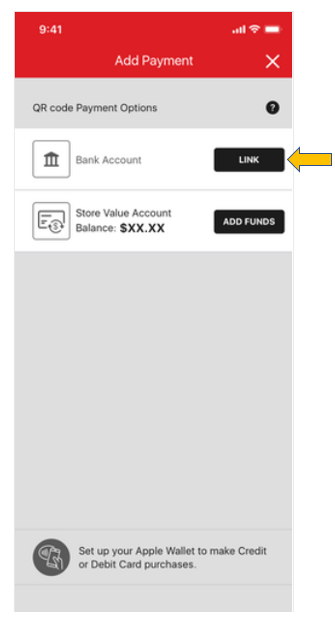
• The first time you enter the mobile application you will be taken to
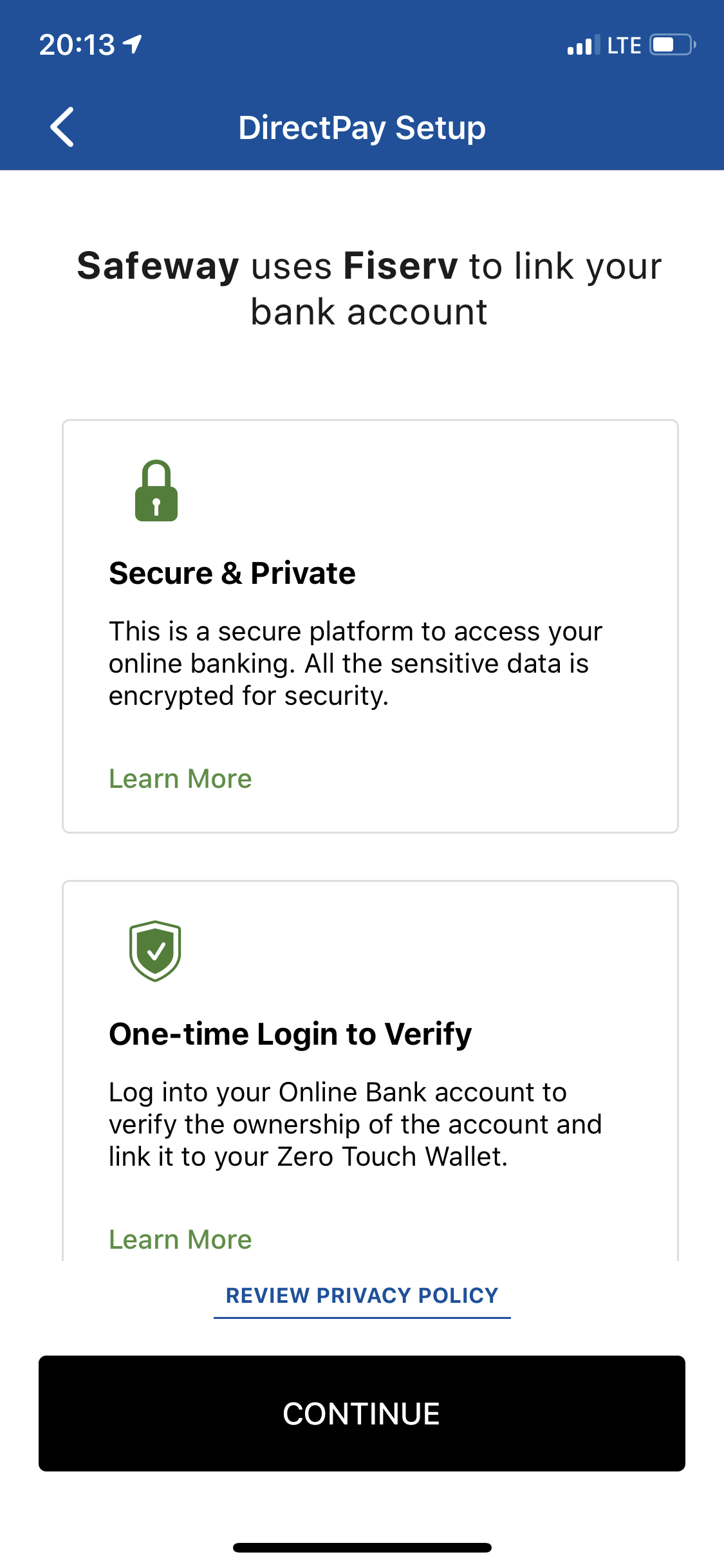
an "Add Payment" screen. Select the button "Link" and follow the instructions
to link your bank account to the mobile app.
Payment Security
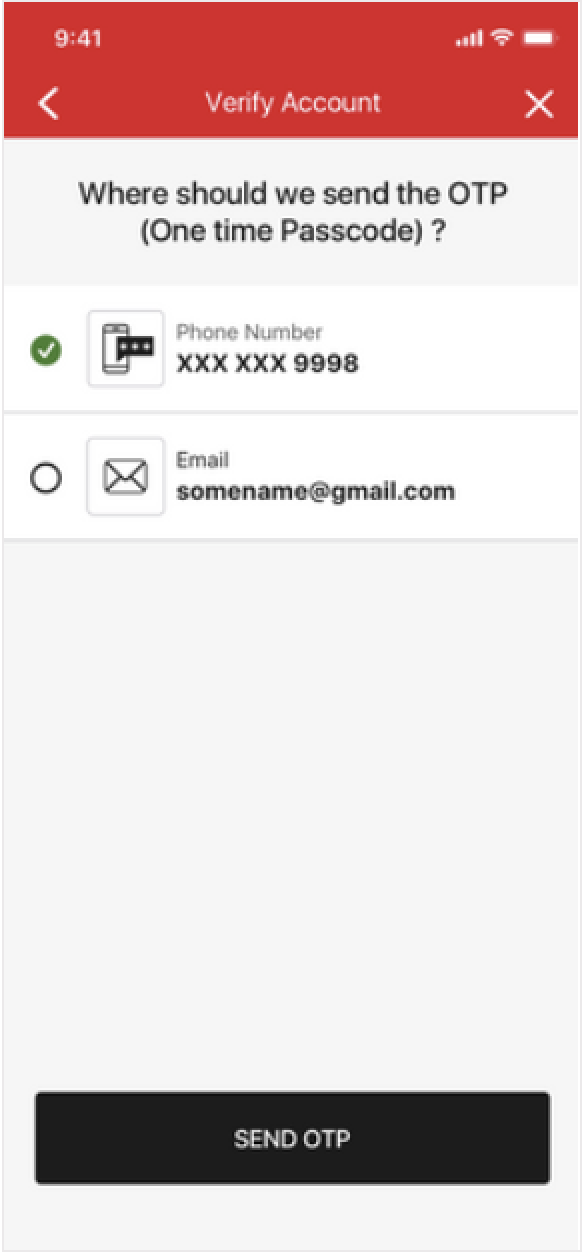
Answer: When setting up your account, we need to verify your authenticity by
sending you a one time password via email or text.
• If you do not receive this text, then please contact your phone carrier to make sure they are not blocking it.
• If you do not receive this email, please contact email provider to make sure they are not filtering certain messages.
Answer:
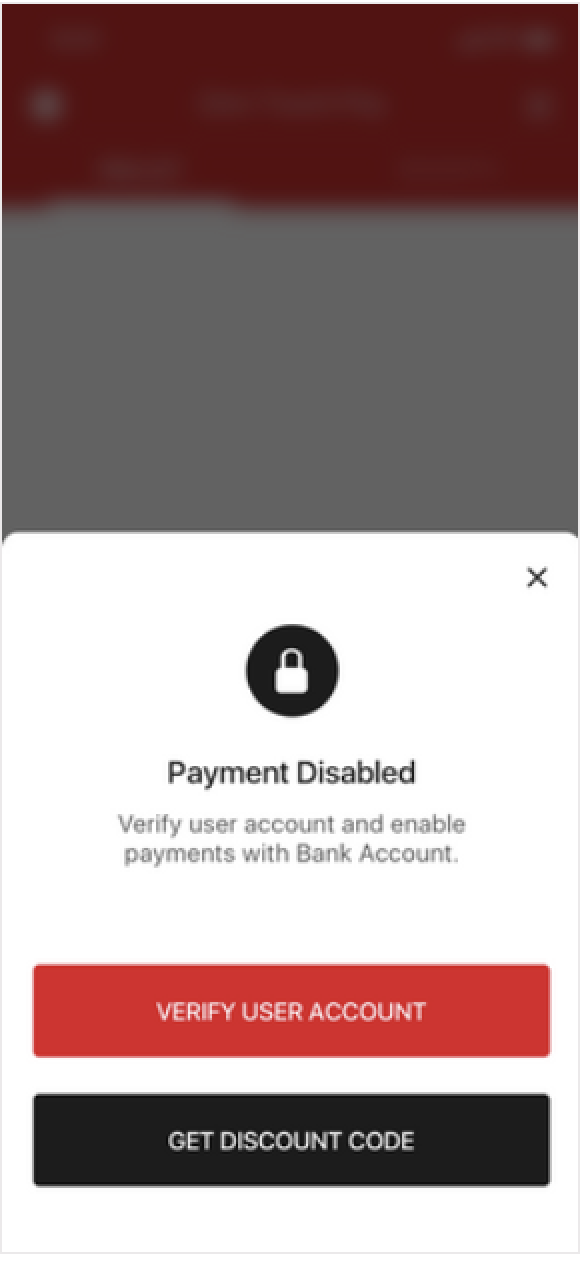
• As a security precaution, before you can
use touchless payment on a different mobile device,
you will be asked to verify the user account. This is done
by sending an email or text message to your account phone number.
Answer:
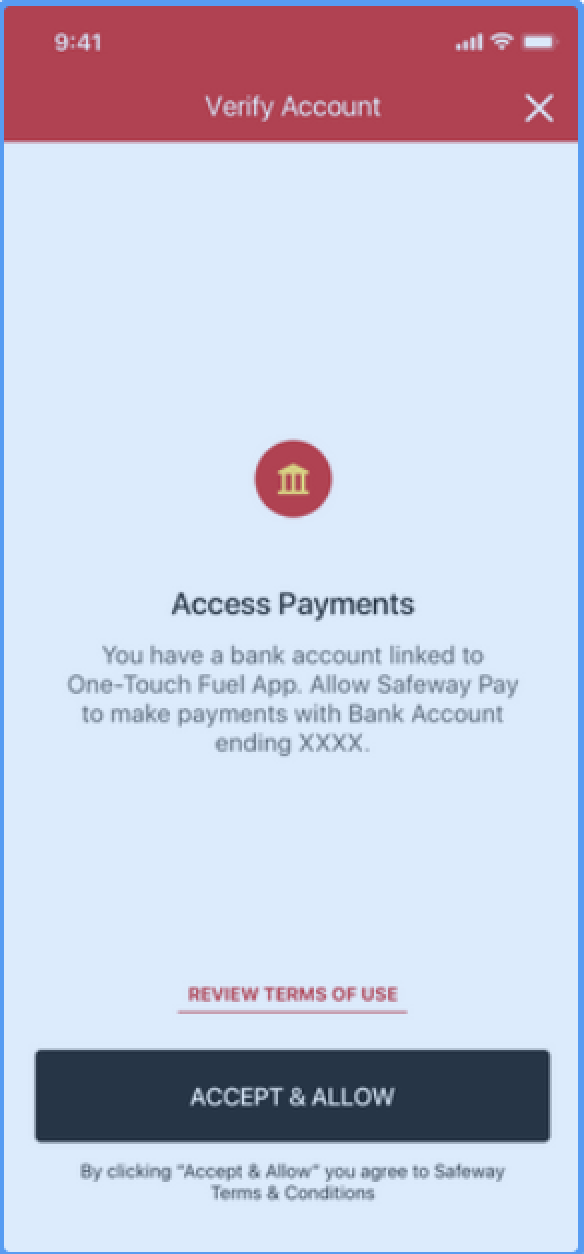
• Your online banking ID and password allows for secure and easy enrollment
into our program that anthenticates you as the authorized user of your bank account. No need
to find and type in your personal information or your bank routing and account information.
Answer:
• We do not store or share your online banking login information.
Answer:
• No. All you need is your bank username and password to quickly
complete your one-time enrollment.
Answer:
• Please refer to the Privacy Policy/Confidentiality section within
our Terms and Conditions for more information.
Answer:
• After completing your one-time enrollment, your account is ready
for immediate use!
Answer:
• Albertsons to provide summary of app authentication security.
Answer:
• You will see our store name, followed by 4 digit store number and the
contact number for our Payment Services team (866-392-9517).
Example:
- Used at Albertsons store #0062:
ALBERTSONS0062 8663929517
Answer:
• Please call our Payment Services Center at
1-866-392-9517.
Answer:
• Please contact the TeleCheck card services at 1-800-337-9780.
TeleCheck is the authorized vendor for enrollments and payment processing.
Payment Error
Answer:
• The maximum amount that can be loaded on a Safeway Cash card is $250
and the most common reason for this error is when your transfer would result in more than $250. Please
try a smaller transfer amount. There are additional reasons that can cause a decline. Payment security
is a priority for us and we constantly monitor transfers to eliminate fraud. Please check the email associated with
your bank account or call the payment center at 1-866-392-9517.
Answer:
•
The application is designed to support a limited numbers of payment types and you have reached the maximum
number allowed. If you would like to add an additional payment method, please delete an existing one and
attempt again.
If the problem still persists please call payment center at 1-866-392-9517.
Receipts
Answer:
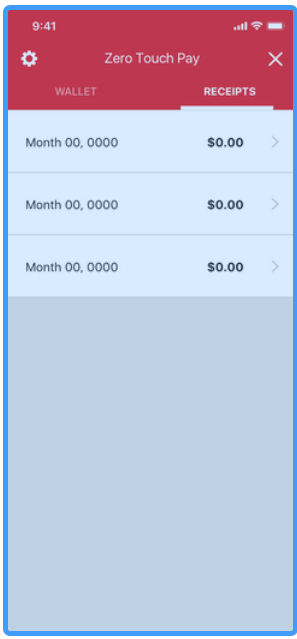
• Select PURCHASES tab. You can see recent transactions
within the last 120 days to view the receipts.
Answer:
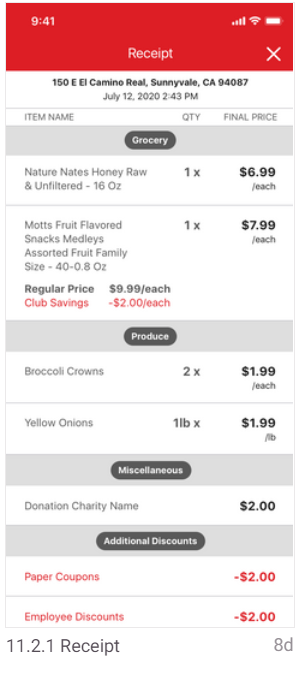
• You should see a digital receipt on the mobile device any time
you have checked out with this app using your bank account or cash cards, and used
your loyalty discount.
- Paying a transaction with NFC (Google Pay or Apple Pay) will not generate a
digital receipt.
- We need to identify you! Please make sure you use your loyalty code (just show
the cashier your loyalty code on your mobile phone so they can scan it).
Contact Us
P.O. Box 29241
Phoenix, AZ 85038
b) Call us: 1-866-392-9517
Hours of Operation: Sunday thru Saturday - 5am to 9pm PST.
During non-business hours, you may leave a message for a Payment Services Specialist to contact you promptly.